What makes your applications faster
A quick check list to improve performance
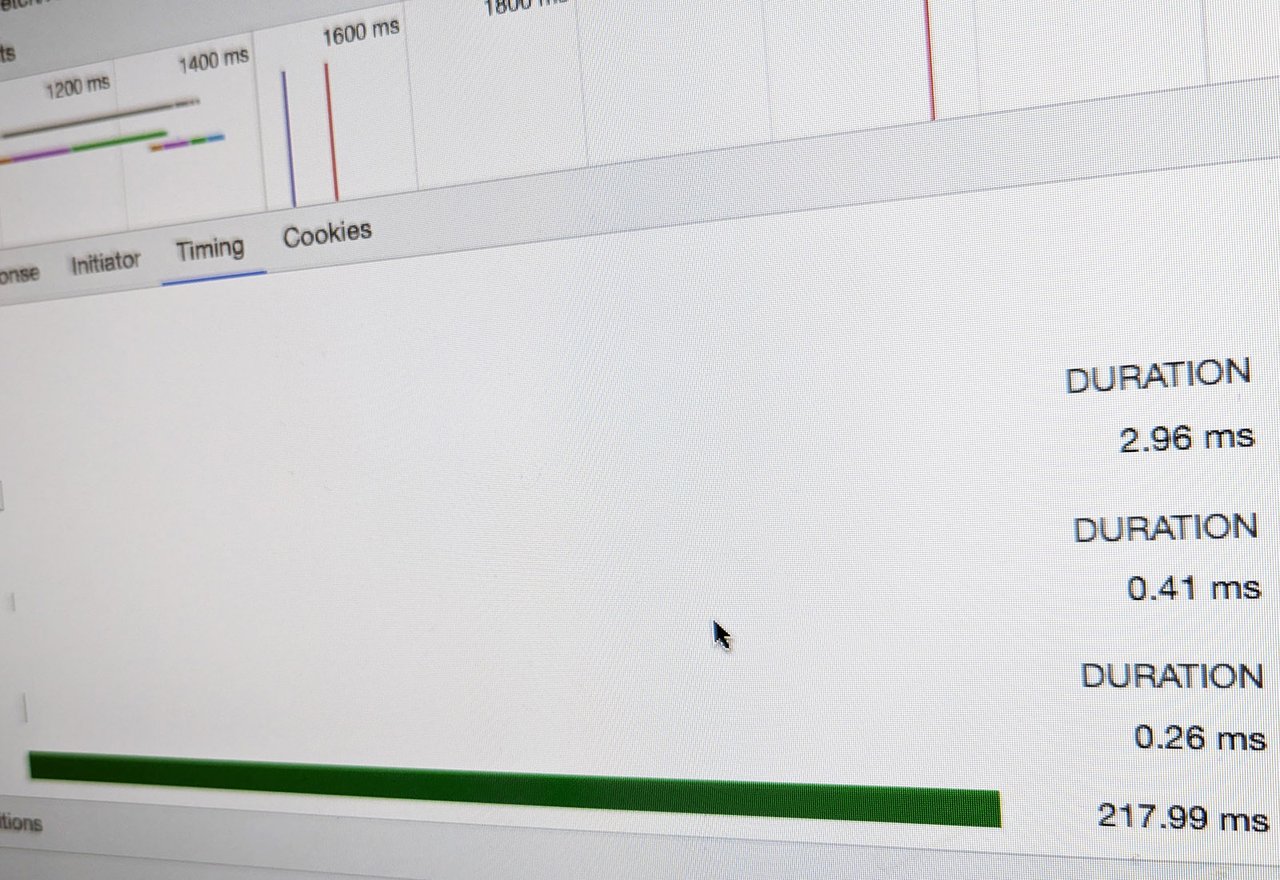
In order to understand web performance parameters, and give more sense to the following sentences, we need to shortly remind how the HTTP protocol works.
When we open our browser, on a computer or a mobile unit, and we type a URL, a complex mechanism is activated, a kind of chain reaction that in a matter of milliseconds return to us the web application associated with the URL.
What is actually this mechanism? The URL we prompt in our browser address field needs to be resolved by an IP address. This means that the first thing the browser needs to know is the association between the domain name and the IP addresses of the server where the application we need resides.
The entity that can give this information to the browser is a DNS, a Domain Name Server.
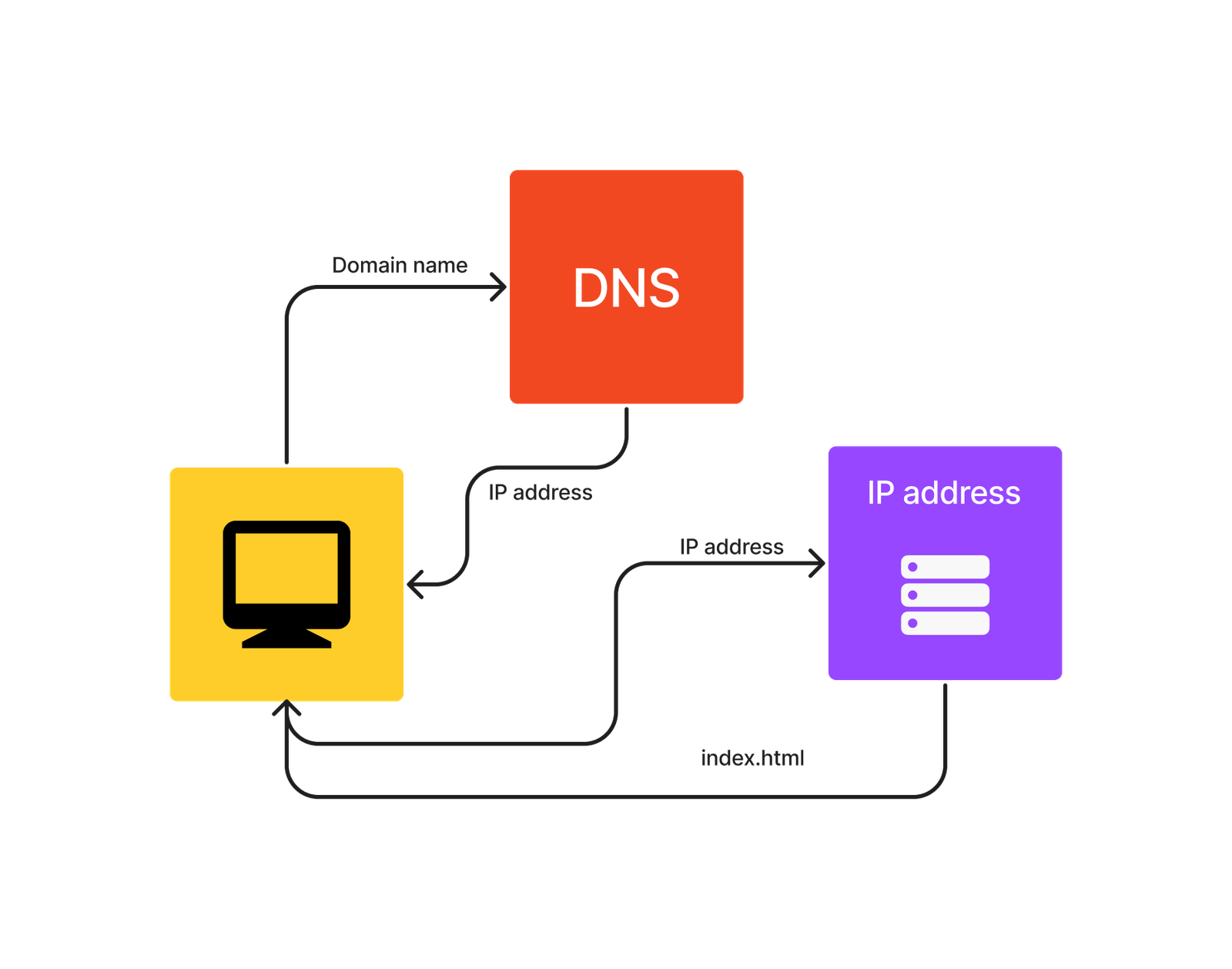
So the first step of this mechanism is the query to a DNS that returns the IP address, and this step resolves very fast. Simple query and simple set of data to return. You can try a DNS lookup in your terminal by typing the following CLI:
nslookup www.wikipedia.org
This line will show you the IP address of the server on which resides Wikipedia application. You will notice it happens very fast.
The browser will then use this information to establish a connection to the server where the application resides and ask for available resources, starting from the first available HTML file: index.html. The chain reaction starts right now since the HTML file returned use assets, stylesheets, and JavaScript files that need to be requested and downloaded. Can be a few or can be some more, depending on the complexity of the page. The mechanism stops when all the elements are in place.
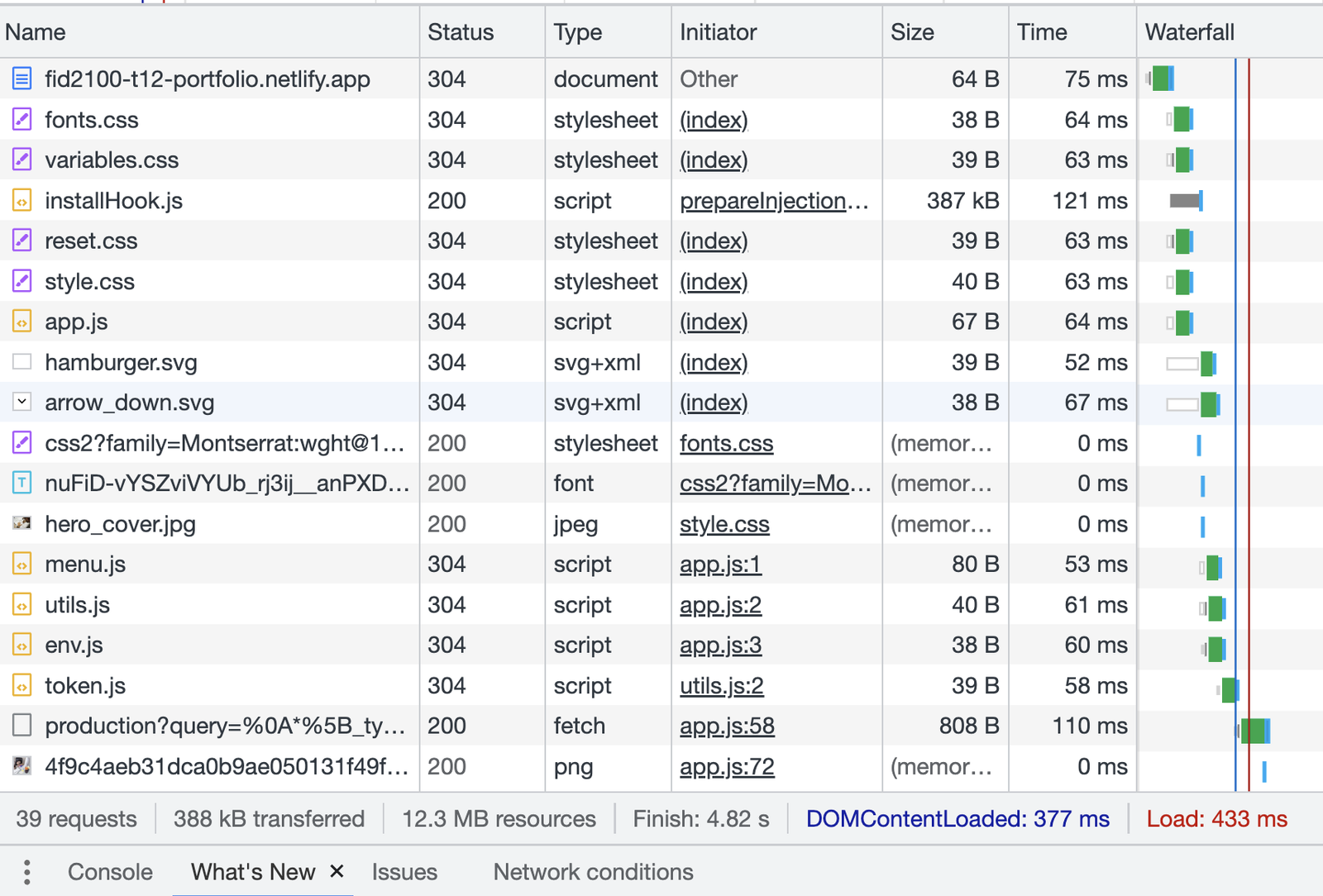
The sum of this average page shows that the total time to download all the elements of the page is 433 milliseconds. More or less half of a second, depending on the network condition at the time of the test.
That is why to improve the performance of a web application we have to optimize the amount of HTTP requests the application generates and the dimensions of files the HTTP request returns.
But, why bother about performance when the difference between the improved application can be just milliseconds?
As human web users, we might not catch the difference between the half of a second or the milliseconds of an HTTP request, but the mathematics of search engine algorithms is very severe. It does not matter if it is milliseconds or microseconds the rank-page index is anyway calculated also considering the difference in speed of the pages, among many other parameters, and that difference influences the page-rank index of a search.
A better page-rank index, especially for e-commerce means higher income.
So what makes an application fast? Which factors make us increase speed from milliseconds, sometimes seconds, to microseconds?
Performance is a very complicated technique and reducing it to a mere list of a few solutions is almost provocative, but give me the benefit of the summary and take this as a starting point to investigate the full discipline.
There are many factors that can impact the speed and performance of a web application. Here is a summary of some key factors that can contribute to a fast web application:
Efficient code: Writing efficient code is crucial for a fast web application. This includes using best practices for programming languages and frameworks, minimizing the use of unnecessary libraries, and optimizing queries to REST API. Refactor your code and check all unused variables and functions, before setting the application to production. Avoid modifying variables that contain the data of a fetch from a Rest API. Keep it in a "const" and never modify it. In case a manipulation of the original data is needed, assign the manipulation to a new variable. In that way, we avoid repeating the fetching in a new HTTP request if you need to get back the original data. Consider a purge of your CSS code. Often, during development, we lose track of all classes and CSS properties; some of them are ultimately unnecessary when we set the application live. PurgeCSS package helps to reveal unnecessary code and optimize the stylesheet.
Caching: we mention that every HTTP request is consuming time. Caching can tangibly improve the speed of a web application by reducing the number of requests made to the server. This includes browser caching, server-side caching, and content delivery network (CDN) caching.
Reducing the number of requests, such as by combining multiple files into one or using image sprites, can improve the speed of a web application.
Use a manifest file and decide a strategy of which files will be cached by the browser. Therefore, add the attribute manifest to HTML tag, like that:
<html
 manifest="http://www.site.com/example.mf">
Compressing files: Compressing files such as CSS, JavaScript, and HTML can reduce their file size and therefore reduce load times.
In order to optimize and minimize files, take advantage of the integrated solution that JavaScript frameworks offer, and improve even better speed and performance, consider SSR (server-side rendered) frameworks.
Optimizing images: Optimizing images by compressing them, reducing their size, and using the appropriate file type can greatly improve the speed of a web application. Choose a proper width and height according to the media context. Choose the proper format and extension according to the number of colors present in the image. Privilege SVG format over PNG when it is possible. Avoid the use of libraries for icons.
A recent CSS property shows relevant improvement regarding performance. It is experimental at the time this article is written (do not work in Firefox) but I guess will be implemented in all browsers.
content-visibility: [visible | auto | hidden];
Applying this property with the value of "auto" to media elements or entire sections will render this element only when they are needed. Avoiding loading of elements that are not needed increase greatly the entire load page.
Choosing the right hosting provider: Choosing a hosting provider that offers fast servers, reliable infrastructure, and good uptime can improve the speed and performance of a web application. Consider, if available, upgrading to HTTP2 or HTTP3 protocol.
Using a content delivery network (CDN): A CDN can distribute content across multiple servers around the world, which can improve the speed of a web application for users in different geographic locations.
Overall, a fast web application is the result of many factors working together, from efficient code to effective caching and optimization techniques.
Some of these factors are out of our control, for example, the speed of the connection our users are connected to. But for those factors under our control, it is worth the effort to achieve a better result.
Photo by Carlo Alberto Burato